


Podcast: Play in new window | Download

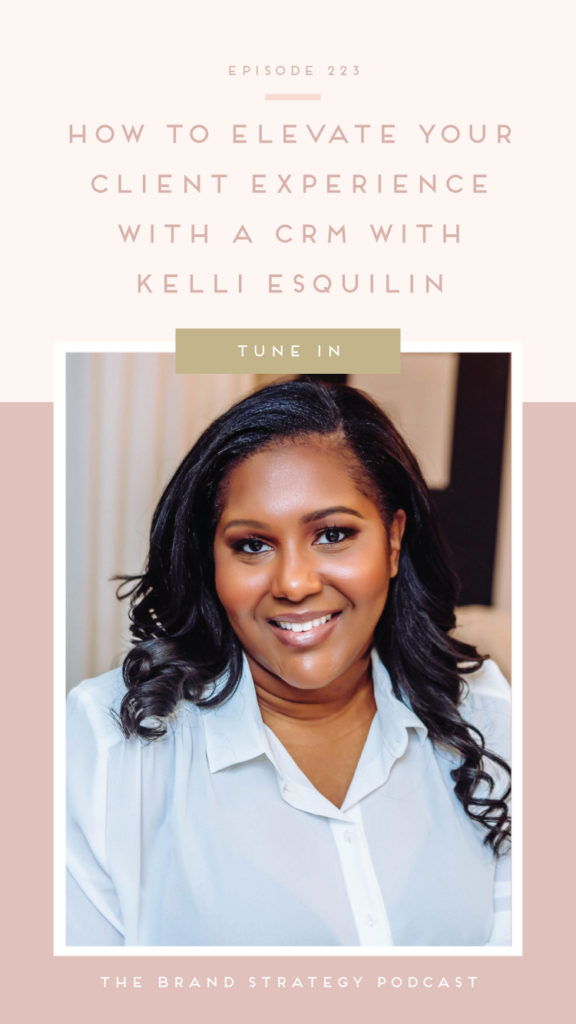
As a graphic designer for 10 years, Kelli knows what it’s like to feel overwhelmed and frustrated by all the administrative work and processes involved in dealing with a client. This took her away from what she loved doing – designing and wowing her clients with stellar service. So Kelli traveled down the long road of spending lots of money on classes on designing amazing websites, communicating with clients, and how to streamline a process. Once her systems were in place, she kept getting comments from fellow designers and other business owners on how pristine and organized her process was and that’s how Kay + Co. Studio was born.
Their signature done-for-you VIP Services will result in newfound confidence as their clients (you) take the reins of their (your) business in as little as 3 weeks.
Why Designers Need Client Relationship Managers
When it comes to your design business, a client relationship manager (CRM) can help you build that relationship with your clients, provide a great experience, and build better communication.
From the initial inquiry, your CRM is making the first impression. It also helps with the communication process all the way to the proposal and invoicing—your CRM manages this for you. It can serve as an all-in-one platform to handle every single aspect of your client communication.
When you start to dread the onboarding process and getting started with a client, that’s when you should consider consolidating all of your processes into one platform.
CRMs for Designers
If you’re looking for a CRM for your design business, the top two in the industry are Honeybook and Dubsado. (Bonnie uses Honeybook in her own business.) While there are dozens of tools out there, these two are robust, yet simple enough for ease of use for designers.
Common Mistakes Designers Make with CRMs
Overall, when a designer chooses to use a CRM, they’re choosing to work smarter, not harder. A CRM offers so many things for designers, but here are a few mistakes you may be making:
- Not using templates—canned emails, proposals, etc can be templated.
- You don’t have to attach everything to a workflow.
Try Honebook at bisforbonnie.com/honeybook.
Creating a Thoughtful Experience for Your Clients
One of the first things to consider with your CRM is how are you creating a thoughtful experience for them. As you onboard a client, it can be easy to overwhelm them—look at how you’re communicating with them in the first email. Is it bombarding them with information? You can ease them into your work together through multiple emails.
Another consideration is reminder emails, because while you may set due dates, your clients need to be reminded of them!
Lastly, look at any frequently asked questions you have to request from your clients to determine if there are things you can adjust in your workflow so that you’re not always asking for it.
There is always room to adapt and improve in the work that you’re doing and the processes you set up!
Try Honeybook

Catch the Show Notes
Get to Kelli (2:58)
Why you Want a CRM (5:03)
When Designers Should Take the Leap to Consolidate to One CRM (7:21)
Mistakes Designers Are Making (11:02)
Flows in Honeybook (14:44)
Ways to Use a CRM to Invite Clients into a Thoughtful Experience (20:14)
Encouragement (30:44)
Connect with Kelli
www.kayandcostudio.com/vip-day
ww.instagram.com/kayandcostudio
FOLLOW ALONG
LIKE THE SHOW?
IN ORDER TO PROVIDE CONTENT YOU LOVE I WANT TO HEAR FROM YOU! SUBSCRIBE TO THE BRAND STRATEGY PODCAST AND LEAVE A 5-STAR REVIEW HERE. THE MORE REVIEWS, THE MORE I’M ABLE TO PROVIDE THIS FREE-ACTIONABLE CONTENT!
Review the Transcript:
Bonnie:
Hi friend, and welcome to the brand strategy podcast. A show created to equip you with the inspiration, encouragement, and clarity. You need to build a brand of your dreams. I’m your host, Bonnie Bahktiari, brand designer, and founder of the Illume Retreat from sustainable strategy to heartfelt encouragement. Each episode is designed to equip you with the tools you need to chase after your dreams, because you deserve a brand that empowers you to do what you love, connects with your dream clients and offers a deep sense of fulfillment along the way. So grab a cup of coffee and join the on this journey. Won’t you Friends.?
Bonnie:
Welcome back to the brand strategy podcast for today. We are talking all about how to elevate your client experience with CRM, with the incredible Kelli Esquilin. Now, if you haven’t had the opportunity to connect with Kelli before, I’m really excited to be able to have her on the show today because she has this incredible background of over 10 years as a graphic designer, and she has taken that experience and she has brought that into her work that she does as a part of K and Co studio now K and Co studio is this absolutely amazing business that offers all of these fantastic V I P services, and kind of done for you experiences that will help you utilize your CRM as a designer, as a service provider, in order to experience a newfound sense of confidence so that you can take the reins of your business in honestly as little as three weeks.
Bonnie:
So the cool thing about what Kelli does is like so many of us who have maybe started our business at one point and then experienced a pivot. She’s used her experience as a designer in the past to create this really fantastic service that now enables other designers to spend more time serving their clients at a higher level and spend less time and frustrated by the admin work and the processes, and like all the behind the scenes that usually go into, uh, the work that we do as designers. So I’m really excited for us to get to talk about how you can leverage a CRM. So something like honey book or something like dip in order to take your client experience to the next level so that you can wow. Your clients with a stellar service, just like Kelli has over the years that she’s been in business. So, Kelli, thank you so much for joining us on the show today. I’m so excited to get to connect with you and have this conversation.
Kelli Esquilin:
Oh, thanks for having me. I’m so excited to be talking to you today.
Bonnie:
Well, if you’re up for it, uh, I’d love if you could share a little bit more about who you are and what you do and you know, kind of what it is about CRMs that really drew you to that, uh, after your experience as a graphic designer.
Kelli Esquilin:
Okay. Sure. So as you said, I’ve been a designer for about 10 years. Well, a little bit over it now and in doing so, I’ve always had a full-time job of whenever I wanted to do freelance or start a side business of my design studio. I knew I needed systems or my, my very first thing that I set up was how it clients through this process as quickly as possible, as easily as possible. So that it’s simple for them and simple for me, which led me to a CRM system, which led me to a workflow and a process. And that’s kind of where it started. Um, and then once I stopped designing, I realized that after talking to all the people I helped out and after talking to other designers in the community, when I told ’em about my process and what I was doing, they were just surprised and kind of like, wow, I never knew it could be that simple. I never knew it could be that easy. How do you do that? And then I said, oh, this could be a really nice pivot. And I like helping people organize their business, create a plan. And I never knew this could be something I could do professionally until I started.
Bonnie:
I love that. And I, I love how it was something that, you know, you, you saw a need essentially, like you were having conversations with people and they were saying like, wow, that’s so great. I like had no idea. You could do that. And you’re so organized. And I’m like all these amazing things. And you saw that and you, you saw that that was a need that the industry had that what was coming to you naturally doesn’t necessarily come to everyone else naturally. So I, I just love hearing that. That’s really kind of what started to draw you to this work that you do. But I know that with you, do you spend all day probably working in the back end, you’re super familiar with all the different CRMs. So like what’s the big deal with CRMs anyway, you know, like before we get too deep into this conversation, like why should designers even, even like bother with, with having a CRM, if they wanna take their client to that level.
Kelli Esquilin:
So really the, the reason why you want it is the client experience side. So when you talk to a client in the very beginning or talk to a lead, you’re talking to them through email, you’re sending them a PDF. You are maybe sending them something through DocuSign or hello, sign, you’re scheduling a call via via Aly or acuity. And then you’re actually, you know, asking for payment, if they say yes through another platform. Now you may have been talking to this person for a week and you’ve just communicated with them through five different services. And all of those services are sending them separate emails, cuz it’s not you sending the same email with all of these links. No one’s ever that organized. It’s always an email from the service that you’re using. So these clients are like, oh, is this email you? Is this from you? Are you asking me for this? Instead of it just being super simple of, yeah, this is all from me. It’s all coming from one email address. You’re going to one system to get all of this done. And it’s just, it lets people trust you from the very beginning. It puts their trust in you to say, oh, okay, I know I’m not hiring you for your organization, but I know you’re going to take my business in your hands and help me, you know, move to the next level. I want to know that you’re already there.
Bonnie:
Mm, okay. So, so basically it helps us kind of make a really professional first impression. Right? Exactly.
Kelli Esquilin:
Yeah.
Bonnie:
Ah, got it. Okay. And I know like, I, I kind of am like laughing a little bit to myself over here because I remember when I first started my business, this is, you know, like way before I ever found honey book, which is my CRM that I’ve been using for years now. Um, and I was definitely that designer who was sending, you know, like using this over here to send the contract and this over here to take the payment. And it was, it was like a whole like curfuffle of things. Yeah. And I, um, I know that we all start there, right? Like I know that I’m not the only person who’s been there, so we all start somewhere. But at what point do you think designers should take the leap from kind of the, the like assortment of all the different apps and systems to consolidating and, and making that decision of like, no, I’m gonna go all in with one CRM.
Kelli Esquilin:
I think that time hits when you are starting to dread the onboarding or you’re like, oh, this is gonna take me a while when you’re customizing that like PDF proposal again for another person that is just like, this could be simpler. This could be a little bit easier. How could I make this go faster? Um, or if you’re thinking like, oh, I’m gonna hire a VA to help me out with this. Have you tried this other option first? Just try it out. And then if you need help with that. Sure. But, um, I like to say it’s, as soon as onboarding someone starts to become a little bit of a hassle or you getting that lead or going through all the steps becomes a little bit annoying or just takes up too much of your time. Um, then now it’s time to look for something else to do.
Bonnie:
Hmm. That makes sense. And what kind of CRMs, like, are there specific ones out there that you personally like and that you, you recommend to designers?
Kelli Esquilin:
Well, for designers specifically, my top choices are honey book. End of auto. And it’s not because I use them both, but I think some people like to say like, oh, I use, um, Asana. I’ve had people say Asana, click up Trello, and it’s great to manage a product, but you know, you can’t take a signature through those systems. You can’t pick a payment through those systems. You can’t automate emails through those systems, but you can with honey BU auto and they both have features that for designers, I think should be used more or should be used in a way that like people aren’t using them yet.
Bonnie:
Mm. Yeah. That’s a really, really important distinction to make, because I know internally I use Asana for like internal project management. So that’s kind of, I like to think of like Asana as what keeps me organized. And honey book is what, you know, like helps me money. You know, honey book is where my clients are and, and that’s how I’m accepting payments. I’m getting contracts signed. That’s how I’m communicating with people. That’s how I’m, you know, sending like, like, you know, proofs back and forth. Um, and so I, I love that you made that distinction because you’re right. Like, I think it’s, especially with something like click up or no, it’s easy for us to, you know, fall in love with how user friendly it is and how beautiful it is and you know, like how customizable it is, but we do, you know, you’re right. We do wanna think about like, how are we capturing signatures on contracts and how are we setting up payment plans and things like that in a way that is polished and streamlined, you know, serves our clients well, in a sense,
Kelli Esquilin:
Agree because then what’s gonna happen is yes. Still communicating through one platform if you are using those project manager systems, but you are still having to connect them with other software. So if you’re still having to connect that system with the invoicing system, the contract system, um, the, the pay plan, the payment plans, the scheduling. So you’re still stuck on using five softwares now instead of one or two.
Bonnie:
Mm. Right, right. So, um, I’m curious, like what are some common mistakes that you see designers make when it comes to using a CRM from, you know, like start to finish with a project? So, you know, like what we’re just talking about, I’m hearing. Okay. You know, one, one thing that maybe, you know, we’re not quite doing as, as well as we could be, is like using a CRM to, to help us work smarter or not harder, but I’d love to hear like, are there other kind of mistakes or missteps that you’re seeing designers make that we can focus on on, you know, just tightening up?
Kelli Esquilin:
I think a major part of it is just missed opportunities with templates. And of course, when I say templates, people are like, there are so many templates you could have, but number one, it’s canned emails. Um, just having those template and emails that, you know, you’re gonna send ready. And of course they don’t all have to be used in a workflow. I think that’s what messes people up to. Like they think every can email they have in their system needs to be attached to some sort of workflow and automated in some way. And that’s not true. A lot of my can’t emails when I was a designer was sending out proofs. Like I knew what my design process was. So I already had the email set for me to send you out the first proof of your branding suite and the first proof of your collateral designs and even the revisions of those second and the third revision, because I knew you got three revisions.
Kelli Esquilin:
So instead of me, you know, writing the same email or copy and pasting those emails were already ready. And I told you like, the deadline for this is due in two days by 4:00 PM was already, bolded was already highlighted. It was ready for me to just attach what I had to attach and send. And then it got to the point where, um, you know, there were a lot of questions or people didn’t know how to comment on a PDF. And there were a lot of back and forths and like, you know, write edits. But then I realized with either with both honey book and DOA, you can kind of create those feedback forms, where you can, you know, add images and then ask questions where underneath the images to get your client’s feedback in one. And once you create one template of that feedback form, you can use it for every client and just switch out the images. And then it saves you so much time now, and it’s easier for your client to give you feedback. So there’s just a few missed opportunities that it’s like, if we dig a little further, just give us everything we wanted.
Bonnie:
I love how you phrase that as it’s just a missed opportunity because right. Like if we’re aware of those missed opportunities, we can go back and we can, you know, like take advantage of that and we can use that to help serve our clients really well. And I really appreciated you highlighted some really practical ways that we can use, you know, templates, especially those canned emails or even those forms, those like feedback forms with clients. Because I, I totally agree. I think that when I look at, you know, some of the designers inside my community, I feel like that’s something that’s kind of tripping them up is like those emails from scratch every single time. And so the idea that like, yes, we have the ability we have the permission to, to like change that and to use templates that we can then tweak so that it feels custom and more tailored to the client can be such a valuable way to save time.
Bonnie:
I’m curious. So you were talking about, you know, how we can in both honey book and we can, you know, kind of tweak, you know, different things in order to create these more interactive feedback forms so that clients aren’t, you know, trying to like make a comment on a PDF or, you know, like physically sign off on, on like a, you know, document that way with honey specifically at the time of recording, kind of a, a newer feature that they’ve rolled out recently is the introduction of flows. So do you think that, from what I know of flows, I think flows could be a really easy way to set up a more interactive kind of, um, revision process or like proof presentation with design. But I would love since you’re the expert, I would love to get your thoughts on. Do you think that flows can be a useful part of that?
Kelli Esquilin:
It definitely can. I think with flow though, people because there’s so much customization, you can do people try to make them more complicated than they need to be. Um, so you don’t need to have a three page flow for revising or going through your branding suite. It can all be one page. You don’t have to make it multiple pages, cuz you’re allowed to make it multiple pages. I think that’s what gives people tripped up is that they think because flows allows me to do many things. I have to do each one of those things. In reality, you don’t. So for people who don’t have flows, the brochure can do this. You can add images, you can add two columns, you can add questions and that’s really all you need. So for flows, I love it because it allows you to do so many different things in one, but you don’t need to do all of those things at each, you know, each flow that you’re sending.
Kelli Esquilin:
So when it comes to the feedback forms, I think if you keep it one page or you, or if you wanna make it multiple pages, like one page can be branding. One page can be collateral. One page can be website, stuff like that. But if you’re only sending the branding, it can all be H but I definitely think flows could help. But instead of just asking questions, I would utilize it to say, you know, and now you can schedule a, you can schedule a meeting at the end on the last page, or if you realized you wanted an extra service, you know, add it on. I think that’s a nice key feature to use for flows to kind of, you know, get, get, get your money’s worth out of the new feature instead of it just being questions. If you want it to do a little bit more, then you can say, Hey, you’ve got this, but we can also give you, you know, a custom pattern or letterhead or something like that. And that only costs a hundred bucks, especially if they love what they’re doing, they can easily just add that on and pay for it right now. So, you know, when you get the feedback back, you just gotta add one piece onto the design.
Bonnie:
I also think like, as you were saying that like the, the gear started turning for me because I could also see how for designers who maybe they include a set number of revisions inside, um, each package. And let’s say a client is exceeding that number of revisions at the end of the flow. It would be so easy to say like, Hey, if you wanna continue to take an additional pass at this, or if you wanna keep making edits, here’s where you can basically purchase. Yeah. And I, I just, I never that’s. So that’s like such a like elegant and simple solution that I hadn’t really thought of. But now that, you know, you start talking about the ways we can use flows and how it can be more than just the questions. I, I think that that is a really useful, uh, thing for people to keep in mind if they happen to be a honey book user
Kelli Esquilin:
And also for flows, it’s, it’s a new feature and it’s great. The thing that trips me up of course is the name because we call our workflows workflows. Right. And now they’re called automation. So I’m just like, okay, it’s
Bonnie:
I totally, I
Kelli Esquilin:
Don’t think so much. Cause in the, in the honey book pros, Facebook page, we’re, we’re dying a little bit.
Bonnie:
Oh my gosh. That’s, that’s hilarious. And that’s one of the things though that like I appreciate about honey book is like, yeah, like, so flows are new. And I know that in my own experience of working with them and like, you know, trying to learn, you know, this new feature, um, there are some things that, you know, maybe don’t feel as intuitive as I want them to be or something like that. But what I love is that we have a Facebook group where we can go and offer feedback specifically on flows. They’ve got a really, a really responsive support team. So I don’t know about you, but personally, I feel like if I ever do run into an issue or I have a question, or I like just like wanna share a thought of like, this could be easier from a user experience standpoint. I appreciate that. I at least get the impression that honey book is listening.
Kelli Esquilin:
Oh, they are definitely listening. We’ve had so many meetings on the pro side about the honey book saying customers want this and they want that. And, and we’re like, yeah, we want to, or we say, our customers are saying this and they are really, really responsive. And I think that’s one of the major features of honey book that you’re not gonna find any place else.
Bonnie:
Absolutely. For sure. Oh. And for those who were tuning in today, as we’re just like, you know, sitting here, we were talking about like how much we love honey book and how great the service is. If you haven’t tried out honey book and you want to, you can actually, uh, try it out completely for free using my link. And if you go to BS for Bonnie design.com/honey book, you can sign up for a free trial. You can check it out. And if you love it, using that link, you actually really can also save on your subscription. So just a little fun fact for those of you who you’ve been hearing us talk about it and you want to check it out, but back to our conversation. Okay. So we’ve been talking about like some missed opportunities when it comes to using the CRM, to like elevate client experience. Since, since I know that you actually offer that like signature done for you V I P service where you actually go in and like set up a CRM for a client, what are some of your favorite ways that you like to see people using a CRM in order to invite their clients into a really full kind of experience?
Kelli Esquilin:
So I think the best way to do it, I try to tow the line of it being simple for the business owner and also what the clients are gonna see and it being simple for them. So I’d like not to bombard people in one email. So if you’re welcome, email has a welcome guide telling people about the client portal and maybe telling people that you’re gonna send them a slack or a, you know, a Trello or click up invitation. I like to say, that’s all you do. Take a beat, take a day or two, and then send them something else. A lot of people like to throw everything they can in the very first email, when I’m thinking the first email it’s coming automatically, they just signed your contract. They just paid. Now they’re getting this welcome email, give them a day to go through stuff or give them a day to, you know, decide what’s not decide, but kind of get prepared for what’s gonna happen next before you send them the first homework assignment, or I think the only thing that I like doing in the welcome email is sending a link to schedule a call to say, let’s get started, cuz some people are very into, I wanna start immediately.
Kelli Esquilin:
So okay. Schedule a call. And of course the call won’t be for another couple days, probably two or three. So everyone still have of time to digest that we are now entering this journey together. So the main thing that I like to do is give, give breaks to clients and then give reminders to clients. Like you send out a homework reminder, not every CRM system will allow you to check to say if they didn’t this form, if they didn’t complete this in a week, send this email, um, do Soto’s great with those type of, with, uh, I’m sorry with those types of automations, but either with either honey book or Doto. I always say if the homework is doing two weeks, send an email in one week to remind them. Because if you tell me something is due on March 1st, or if you tell me something is due, you know, three weeks from now, today, you’re gonna have to remind me in a week and a half.
Kelli Esquilin:
Cause it’s all it’s out of my brain. If it’s not due this current week, I’m not, I’m not doing it. I’m not doing it. I’m gonna put it on the list somewhere that I’m gonna keep writing in my notebook. And I’m gonna forget I made that list. So you’ve gotta remind me. And I feel like you have to think about that type of experience when you’re talking to your clients in a workflow, working with you. If you’re in a slack channel, you have it great. You have a chance to remind them, but if you’re not have those weekly, just general reminder, if no matter if they already finished it, no matter if you already talked to them about it, just say, Hey, Hey, it’s this is happening in a week. We start in a week, just, just trigger those type of things to remind people that things are happening. We are moving forward.
Bonnie:
That’s a really, really great set of, uh, you know, kind of points there to, to think through. So what I, what I love about this is all these, all these insights you’re sharing are elegant solutions for ways to like serve our clients really well. So, you know, things that you’ve been sharing are, you know, like think about the pacing, think about the timing of the workflows that you’re using or the automations that you’re using. You know, think about ways that you can simplify your client experience by using templates. You know, these, these really thoughtful steps that I think at least on my end, I sometimes I think I might fall into this mindset of like thinking that, you know, it needs to be complicated, but hearing you talk through some of the, the opportunities we can take advantage of and some of the ways that we can set up our CRMs in order to help us help our clients. They’re so clear. And so, so accessible in a way. Like, I, I think that, you know, if I were starting from scratch, this would get me excited about taking the, those next steps and actually setting up my CRM because you know, you, you make it so easy to understand how we can move forward.
Kelli Esquilin:
Oh, that’s great. Um, I think the other part of it is simply for people who have been doing this for a while and they already have the process, I would say, go through what you’re doing and see if there are any FAQs you can answer. Mm. So that’s also another part of it of saying that, Hey, you know, when you started, you didn’t ask people this question, but then you realized, you know, eight clients later, 10 clients later that you always have to ask them for this, make it a homework assignment. Now, you know, that that needs to be a new email in your workflow. There needs to be a new homework assignment or a new section in your questionnaire. So I, I, even for me, and I set this up myself, I go back into my workflow and I streamline it or, you know, edit it maybe once a quarter just to make sure that the timelines are working past my process changed just recently.
Kelli Esquilin:
Homework for me used to be due two weeks before my V I P day. Now it’s due three weeks before because I realized my team didn’t have enough time to edit stuff and design for me and the client to have a meeting and go back and make revisions that I said, Hey, this workflow needs to be a little bit more spread out because it’s going too fast right now. Um, and it was just the, the clients felt okay with it, but just me on my side, I said, I need to spread this out. So, but going back into your workflows every three months for people who are established is always great to just say, is this still working? What has been client’s feedback? What has been my team’s feedback? Hey yourself, Hey me, what is my feedback? Could this be better?
Bonnie:
I really, really appreciate that insight because I you’re right. It, it can be easy for us to kind of get in a groove with something and get into like a rhythm with it and, and not really question it or not revisit it to, you know, edit it or try, try and even streamline more because we get so comfortable with it. But I really appreciate that you work that into your schedule on a recurring basis. So it sounds like you’re always looking for those opportunities to make something easier. I they’re easier for you or easier for the client. And that’s the kind of like consistent growth and the consistent kind of, what’s the word I’m looking for? You know, the kind of like improvement basically that allows you to keep evolving in a way where you’re always serving your client to the highest ability. And I, I can imagine that because you follow that process with yourself and with your team, it allows you to consistently put out work that you and your team are, are proud of too, right?
Kelli Esquilin:
Yeah. We take a lot of, um, pride in what we do. And I don’t want anyone to ever leave me saying, I can’t use what Kelli set up and, or I can’t use this. So it came to the point that, oh, one good example is I think I’ve ran into two or three clients. Okay. So I’m the person that if one person says one bad thing about my service, I’m going back to the drawing board and I’m re and I’m changing it, I’m making it. So no other person is ever saying that to me again, which is like, you don’t have to do all the time, but that’s just how I am. Um, so when I think I had one or two clients say, okay, you know, you’ve set this up, but I haven’t used it yet. And then I had to ask them why they said, oh, you know, I don’t know the title that well, I don’t know honey book that well.
Kelli Esquilin:
And I’m like, I felt really bad that they spent this money on the system and they don’t know how to use it. So it’s almost like, or I had people say like, okay, are you gonna teach me how to use it now? And I was like, hold on, you just paid me money to make you a custom Ferrari. But now you don’t know how to drive the stick shift, like why you ask for a Ferrari. So, so now I actually add it into my contract where it has linked lessons where it says, Hey, you have to agree to these three things that either a, you have the equivalence of these, you know, one on one courses for honey B, you’re gonna take them before your V I P day or C you’ve already taken them. Mm. And that’s in my contract now. So it’s like, you, you told me, you had this, you told me you knew this, or you told me you were gonna get this knowledge.
Kelli Esquilin:
So at the end of this, I do have a tutorial vault to help you. I gave you a walkthrough video to help you. But now, you know, you signed up for this knowing that you didn’t know it, but you signed up promising that you would learn it soon. And I always give them resources to learn the basics. Um, because you know, you need to know what certain parts of what I’m building for you are. I don’t want you to look at me and decide like, what is a proposal or what pieces are in a proposal. I’m like, okay, I need you need you. Mm. I need you played with, I need you to have played with the system a little bit, or I need someone on your team to have played with the system a little bit before I to live for you. And then again, you’re mad at me cuz you haven’t used it yet. Cause you don’t know how to,
Bonnie:
That is such a fantastic example of, you know, again, like how you are adapting, you’re constantly improving your experience in order to serve your clients well, and, and also, you know, make sure that the, the experience that you’re delivering is actually something that they can use. And I just think it’s genius to include that in your contract, in order to better qualify the people who are signing up to work with you so that, you know, you can have that confidence on your end as a service provider. When I hand over the, you, when I CR hand over the keys to this Ferrari, you know how to drive it and you’re not just gonna like have it parked in your driveway. Looking gorgeous.
Kelli Esquilin:
Exactly. Exactly.
Bonnie:
Well, I’m curious. One question I always love to ask here on the podcast is about what kind of encouragement or final piece of advice you would wanna share to those who are tuning in today? Who’ve been following along, who’ve been getting excited and starting to see all the possibilities of how a CRM could actually help them and help them serve their clients. Well. So with, for those who are tuning in, who are getting ready to use that CRM to wow, their clients, what kind of, you know, parting words E or thoughts would you wanna share with them?
Kelli Esquilin:
Um, I would say don’t get overwhelmed. It can be a lot, especially if you’ve never used one of these systems before you have to learn what your process is, learn what the system is, learn what you need for the system and then learn how to make it work for you. And that is a lot of knowledge you have to gain or a lot of tutorials. You have to go through to be able to get from a to Z. It’s not as daunting as it sounds and you don’t have to do it all at once. I know people who want a beautifully designed this, you know, ASAP, but it’s like, you don’t need that yet. You just need it to work. You just need the questionnaire. You don’t need it to be CSS. You know, you just need a service guide. You don’t need it to be 18 pages. You just may need it to be five. So you start small and then you can always grow and build and do more. And then once you get started, you’ll learn what the system can can do and can’t do, you’ll learn what you need and what you don’t need. Um, you’ll learn hacks for making it, do what you need it to do, but you don’t need to do that all at once. So just start small and build,
Bonnie:
Hmm, such great advice and such practical advice for more than just setting up with C RM, you know, like lots of, lots of things that we can apply that to in life and in business. So I really appreciate that you shared that. Now I know that folks who are tuning in today are gonna wanna be able to fall along with you and get to learn more about you and the incredible work that you do. So where can they connect with you and the K and co studio? All of mine.
Kelli Esquilin:
So Instagram is where I’m at all of the time. Even if you, I love voice notes for questions, cause I’ll respond in the voice note every single time. Um, so you can follow me on Instagram at K and co studio and yeah, I’m here to answer all of your questions.
Bonnie:
Awesome. And of course we will have that link in the show notes as well as the link for this really amazing challenge that Kelli is sharing with us. It’s it’s this, this challenge, this three day challenge that is delivered to your NBO, that shows you how to plan out your entire client journey and strategize your workflows in just three days so that you can start to put your processes on autopilot and fully focus on designing Kelli. This sounds like such an amazing challenge. Thank you so much for sharing this with us.
Kelli Esquilin:
No problem. So basically what I just, I said, it’d be earlier about how it’s, this can be daunting. I’m this three day challenge will help you get through the first part of it. Like once you do this three day challenge, you’ll be able to say, okay, let me pick a system. Let me build what I need for each system. And you’ll already know because this challenge will tell you. And so you’ll you you’ve already done the first part. So now you maybe you’ve got two, three weeks to work
Bonnie:
With. Absolutely amazing. So friends, if you wanna grab your spot as a part of this free challenge, just go to brand strategy, podcast.com and click on the latest episode link. And there you will find the show notes from this episode, the link to join this amazing challenge that Kelli has put together. And you’ll also find a full transcript of this conversation. So if you heard Kelli dropping just an incredibly genius thought and you wanna go through and see what she said, word for word, you absolutely can check that out in the transcript. Now, Kelli, thank you so much for joining me for spending your time in this way with us and for sharing your expertise because I know, and you know, this CRMs can feel daunting for so many people, not just designers, but thank you so much for helping us make sense of it and figure out how we can use a system like this to help to elevate our client experiences.
Kelli Esquilin:
I’m happy I would. I’m happy you had, I’m happy about
Bonnie:
Friends who are tuning in. Thank you as always for your support for tuning into this episode. If what Kelli shared today was helpful in any way, be sure to reach out to her connect with her, show her lots of love. And if you know of an industry friend who could use the same kind of advice around creating a CRM and using the CRM to the fullest for your client experience, be sure to pass this along because the more knowledge we’re able to share in this online community and the more we’re able to help each other grow. So as always, I’m cheering y’all on from Waco.
Bonnie:
Thank you so much for joining me today, friend, before you go, I would be so grateful to receive your feedback on the brand and strategy podcast. If you enjoyed this episode or the podcast in general has helped you grow your brand. I’d really appreciate it. If you left us a review in iTunes, your positive reviews enable the brand strategy podcast to continue to grow and reach like-minded creatives. Just like you thanking for all your support and encouragement as together, we pursue building Brandson with purpose and intention until next time I’m cheering you on from Waco.









leave a comment